

Manual Flights
Manual Flights is a premium Free Flight feature. Use it when you want to build a route yourself instead of booking from the official schedule database.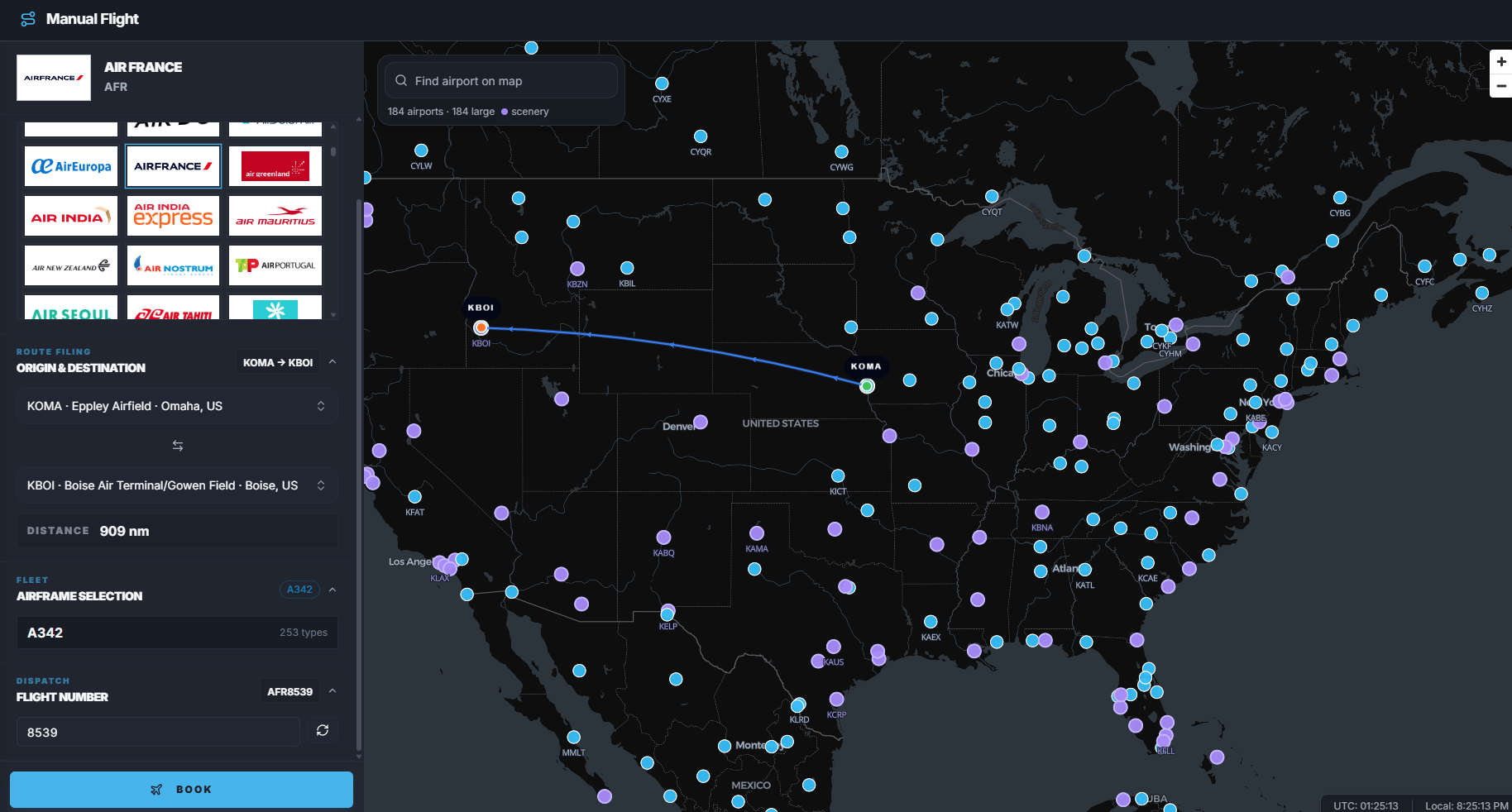
When to use Manual Flights
Use Manual Flights when:- You want to fly an airline that is not part of the official FlyHub schedule roster.
- You want to fly any airport pair.
- You want a custom flight number.
- You want to choose from the full aircraft catalog.
- You do not want to wait for a route to be added to Schedules.
Access
Manual Flights requires Captain. Free users see a premium-required screen.Manual Flight step-by-step
- Open Manual Flight.
- Select a carrier.
- Select origin airport.
- Select destination airport.
- Select aircraft.
- Set the flight number.
- Review the route preview.
- Click Book.
- Open My Flights to start the booking.
Carrier selection
The Carrier section lets you search by airline name or ICAO. Manual Flight carriers can include:- Official FlyHub airlines.
- Manual-only airlines added for custom operations.
Route selection
Choose:- Origin airport.
- Destination airport.
Aircraft selection
Manual Flights uses the FlyHub aircraft catalog. You can search by:- Aircraft type.
- Manufacturer.
- Family.
Flight number
Enter a flight number for the operation. If multiple callsign prefixes are available, choose the prefix first. FlyHub combines the prefix and number into the final callsign.Route preview
After route and aircraft are selected, FlyHub can preview the flight. The preview can show:- Route distance.
- Aircraft compatibility warnings.
- Airport or route warnings.
Booking result
When you book a Manual Flight:- FlyHub creates a custom booking.
- The booking appears in My Flights.
- You start and complete it like other Free Flight bookings.
Manual Flights vs route suggestions
Common mistakes
- Using Schedules suggestions for an airline that is not in the official roster.
- Forgetting that Manual Flights require premium access.
- Selecting the wrong callsign prefix when an airline has aliases.
- Booking before reviewing aircraft or airport warnings.