

Simulator Overlay
Simulator Overlay is the small in-sim FlyHub overlay used during simulator flights. It is different from Stream Overlay. Simulator Overlay is for you while flying. Stream Overlay is for OBS or stream viewers.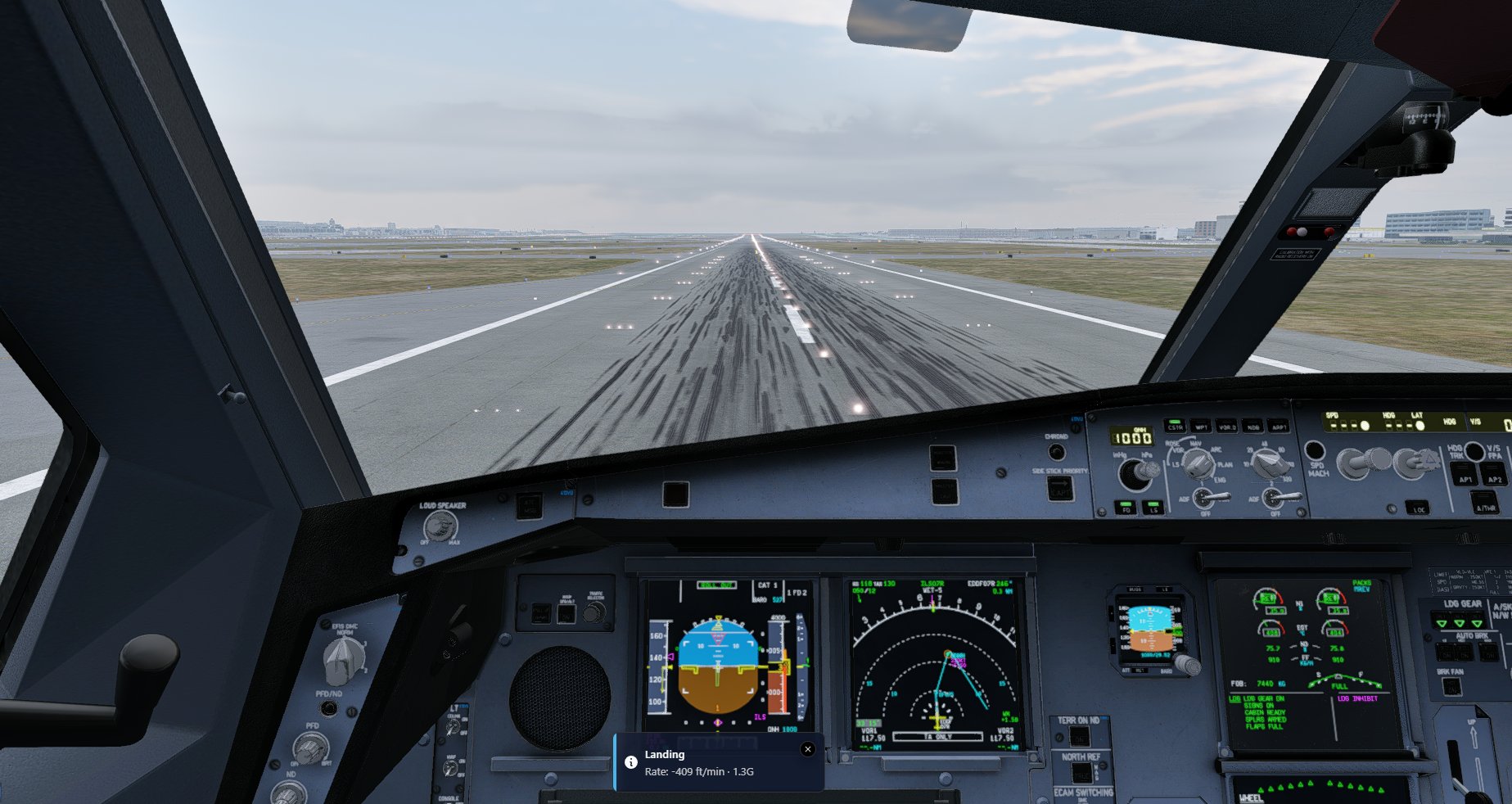
What it does
Simulator Overlay can show:- Landing feedback.
- Touchdown messages.
- Bounce or landing event messages.
- The Close Flight prompt after arrival.
Turn it on or off
- Open FlyHub Desktop.
- Go to Settings.
- Select Simulator.
- Find Simulator Overlay.
- Turn the switch on or off.
When to use it
Use Simulator Overlay if:- You want FlyHub messages inside the simulator.
- You do not want to alt-tab after landing.
- You want the Close Flight prompt to appear during taxi-in or after arrival.
If the overlay does not appear
Try these steps:- Make sure FlyHub Desktop is open.
- Make sure the Simulator Overlay switch is enabled.
- Start your simulator.
- Bring the simulator window to the front.
- Start or resume your FlyHub flight.